

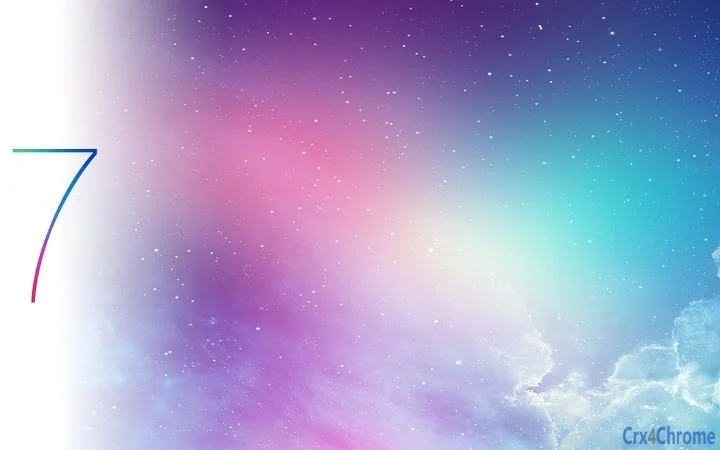
Description
Star Se7en: iOS 7-Inspired Chrome Theme
Overview
Star Se7en is a desktop browser theme designed to transform the visual experience of Google Chrome, bringing the sleek, minimalist aesthetic of Apple's iOS 7 to the web browser environment. Targeted at users who appreciate clean, modern design and a cohesive visual identity across devices, this theme enhances Chrome’s interface with a focus on sharpness, transparency, and harmonious color blending. It caters particularly to creative professionals, web designers, and users who value a polished, distraction-free browsing environment. The theme is developed by Lucas Jamali, an independent designer known for crafting visually refined browser themes with attention to detail. Real-world usage scenarios include personalizing workspaces for improved focus, aligning browser appearance with mobile devices, or simply elevating the daily browsing experience with a more sophisticated look. The theme is available at no cost, making it accessible to a broad audience seeking aesthetic enhancements without financial investment.
Key Features & Capabilities
- iOS 7-Inspired Aesthetic – Recreates the flat design language, soft color gradients, and subtle depth of Apple’s iOS 7, offering a visually consistent experience across Apple and Chrome platforms.
- HD 1080p Background – Features a high-resolution background image optimized for clarity and visual impact on modern displays.
- Transparency Effects – Implements delicate transparency in the toolbar and tab bar, contributing to a layered, modern interface feel.
- Color-Matched UI Elements – Ensures text, icons, and frame colors are carefully coordinated for visual harmony and improved readability.
- Tab Background Customization – Version 1.1.2 introduced a dedicated tab background, addressing prior rendering issues and enhancing visual consistency.
- Readability Enhancements – Includes updated text contrast and darkened tab text for improved legibility, especially in newer Chrome versions.
These features are particularly useful for users who prioritize visual coherence in their digital workspace. Designers may use the theme to preview how flat, minimal interfaces translate across platforms. Casual users benefit from a more engaging and polished browsing experience. The theme’s design philosophy emphasizes simplicity and elegance, reducing visual clutter while maintaining functional clarity.
User Interface, Workflow & Performance
The user interface of Star Se7en is fully integrated into Chrome’s existing layout, modifying only visual elements such as background, frame, toolbar, and tab appearance. Navigation remains unchanged, ensuring users experience no disruption in workflow. The theme enhances the visual flow by introducing subtle transparency and refined color transitions, contributing to a more immersive browsing environment. Since it is a theme rather than a functional extension, it does not alter browser behavior or introduce new tools. Performance impact is minimal, as it relies on Chrome’s native rendering engine. The developer did not specify resource usage details, but based on general software behavior, such themes typically consume negligible CPU and RAM. Stability is expected to be consistent, as no additional processes or background services are introduced. The theme is designed to work seamlessly with Chrome’s standard update cycle, with version 1.1.2 addressing known rendering and readability issues.
Compatibility & System Requirements
Star Se7en is compatible with both Windows and Mac operating systems, ensuring broad accessibility across desktop platforms. It is designed specifically for Google Chrome, requiring no additional software or plugins. The installation size is 2.3 MB, a compact footprint that allows for quick deployment without significant disk usage. The software version is 1.1.2, released on September 15, 2023. Exact system requirements were not listed, but given the nature of Chrome themes, compatibility is likely supported on systems running recent versions of Chrome on Windows 7 or later, and macOS 10.12 or later. The developer did not provide specific hardware requirements. Installation is performed directly through Chrome’s theme gallery or via external distribution, with no complex setup process.
Pros and Cons
Pros
- Delivers a visually striking iOS 7-inspired design for Chrome
- High-quality 1080p background image with sharp detail
- Transparency effects enhance modern interface feel
- Color-matched UI elements improve visual harmony
- Regular updates address usability and compatibility issues
- Free to download and use
Cons
- Only affects visual appearance, not functionality
- Does not support customization of individual UI elements
- Performance impact details not publicly disclosed
- Requires Google Chrome to operate
- Limited to desktop users on Windows and Mac
FAQ Section
Is Star Se7en compatible with all versions of Chrome?
The theme is designed for recent versions of Google Chrome. While it includes fixes for newer Chrome releases, compatibility with older or beta versions may vary. Users are advised to keep Chrome updated for optimal performance.
Can I customize the theme’s colors or background?
Currently, the theme does not offer built-in customization options. All visual elements are fixed as designed by the developer. Users wishing to modify the appearance must use external tools or alternative themes.
Is Star Se7en safe to install?
Yes, the theme is distributed through official Chrome channels and does not contain executable code or tracking mechanisms. It only modifies visual elements within the browser interface.
How do I uninstall Star Se7en?
To remove the theme, open Chrome, click the three-dot menu in the top-right corner, go to Settings, then select “Appearance.” Under “Theme,” click “Reset to default” to revert to Chrome’s original look.
Does the theme require an internet connection to work?
No, once installed, Star Se7en functions entirely offline. It does not rely on external servers or online services to maintain its appearance.
Final Thoughts + CTA
Star Se7en stands out as a refined, visually compelling Chrome theme that successfully captures the essence of Apple’s iOS 7 design language. With its attention to detail, high-resolution visuals, and thoughtful transparency effects, it offers a premium aesthetic experience at no cost. While it serves purely as a cosmetic enhancement, its impact on user satisfaction and interface cohesion is significant. It is ideal for designers, Apple enthusiasts, and anyone seeking a more polished, distraction-free browsing environment. The regular updates demonstrate ongoing developer support and responsiveness to user feedback. For those looking to elevate their Chrome interface with a touch of modern minimalism, this theme delivers a compelling solution. Download Star Se7en now.
Guides & Tutorials for Star Se7en Theme for Chrome
How to install Star Se7en Theme for Chrome
- Click the Preview / Download button above.
- Once redirected, accept the terms and click Install.
- Wait for the Star Se7en Theme for Chrome download to finish on your device.
How to use Star Se7en Theme for Chrome
This software is primarily used for its core features described above. Open the app after installation to explore its capabilities.
User Reviews for Star Se7en Theme for Chrome 0
No reviews found





